Quietkeep
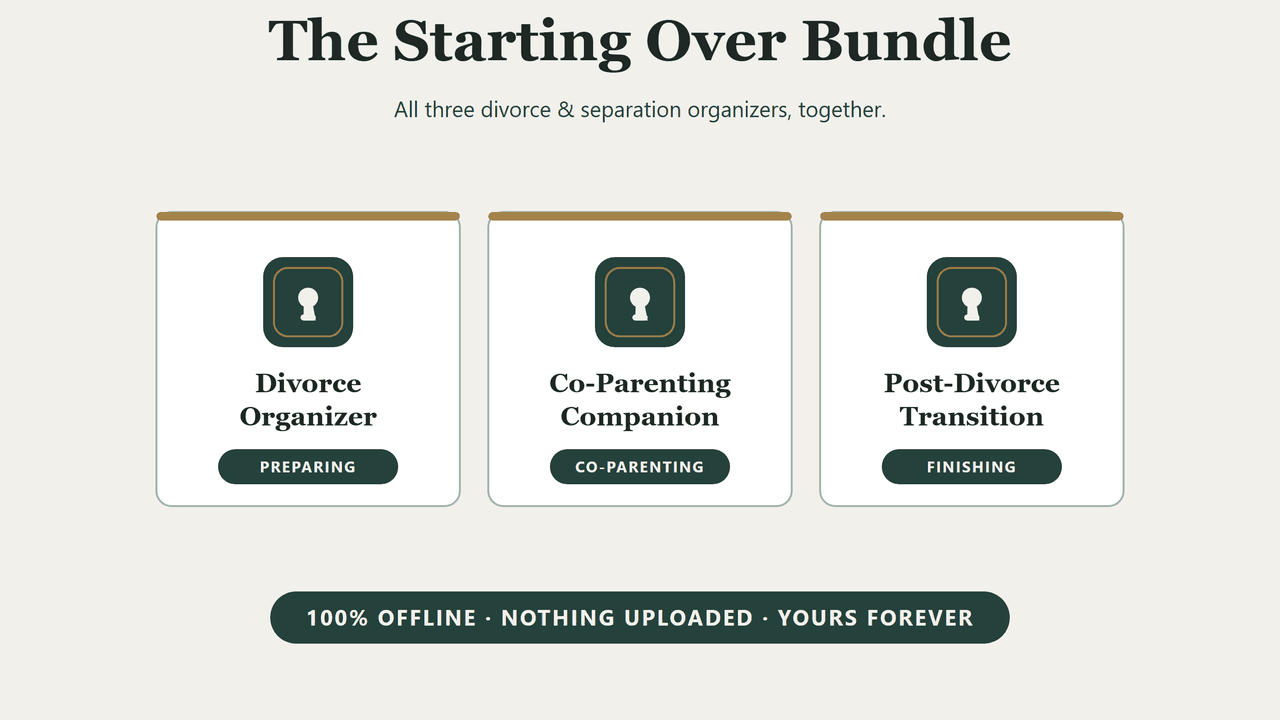
The Starting Over Bundle

Three organizers, for a separation that has three stages.

The Divorce Organizer for the inventory your attorney will ask for. The Co-Parenting Companion for the years of shared costs and schedules that follow. The Post-Divorce Transition Organizer for the deeds, titles and beneficiaries the decree does not finish. Three private, offline apps — $77 bought separately, $65 as the set.

Instant download · Three apps · No subscription · No account · Works on Mac, Windows, tablets & phones

The Starting Over Bundle — three Quietkeep divorce and separation organizers
Ready to hand over·prints the page someone else needs
Completely private·works with the wi-fi off
$65 once·save $12 on the set
Three real apps·not PDFs or spreadsheets
A separation is not one job. It is three, in order.

Most people buy the organizer for the stage they are standing in, then find the next stage arrives anyway. Preparing for the process is one job. Running two households is a different one, and it lasts for years. Finishing the paperwork — the deeds, the titles, the beneficiary forms nobody mentions — is a third, and it is usually the one that gets abandoned half-done. These are the three apps for those three jobs, bought together.

Divorce Organizer

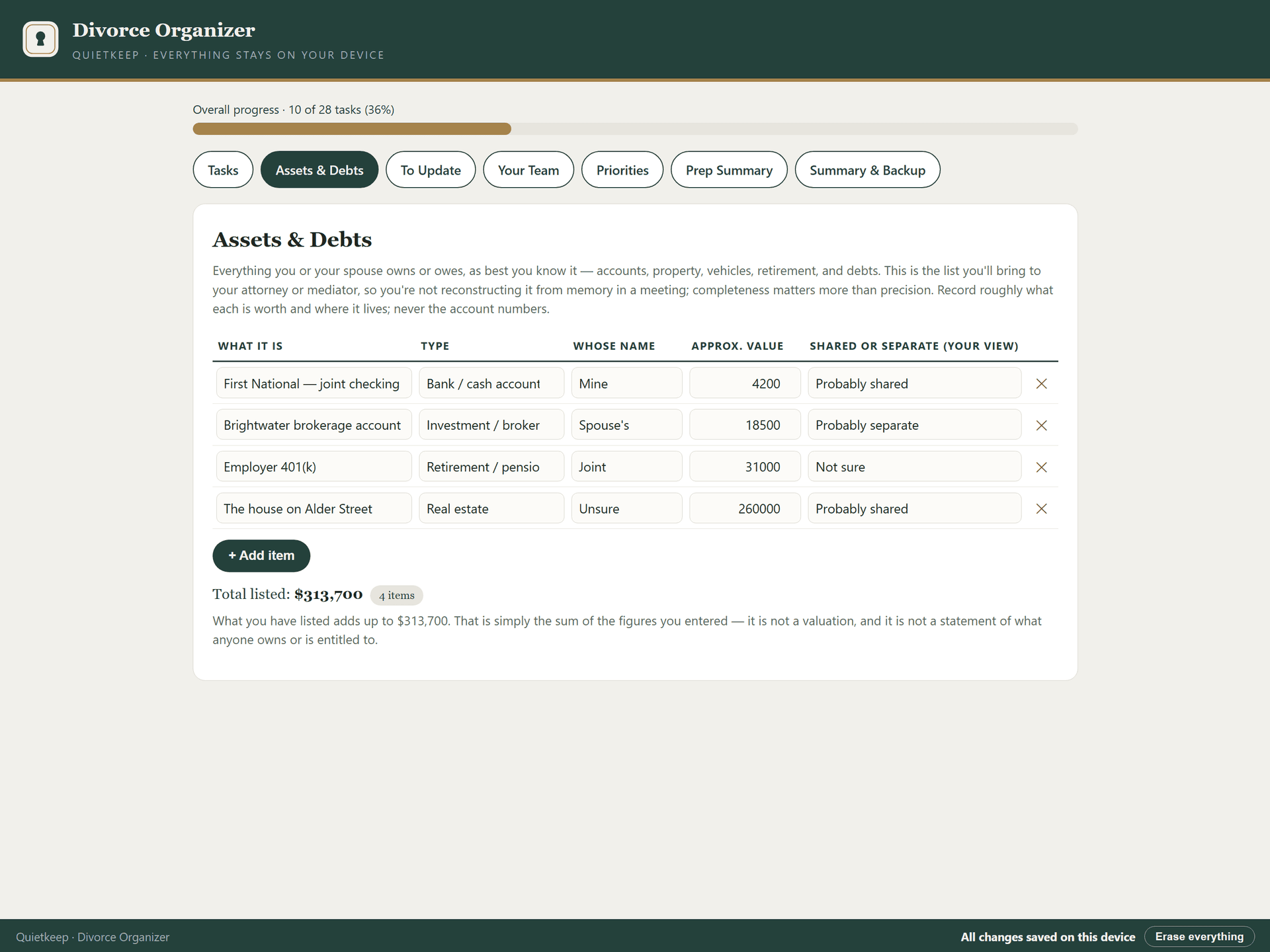
Assets and debts inventoried and totalled as you type, records tracked to done, and a one-click summary to take to the first attorney meeting.

Co-Parenting Companion

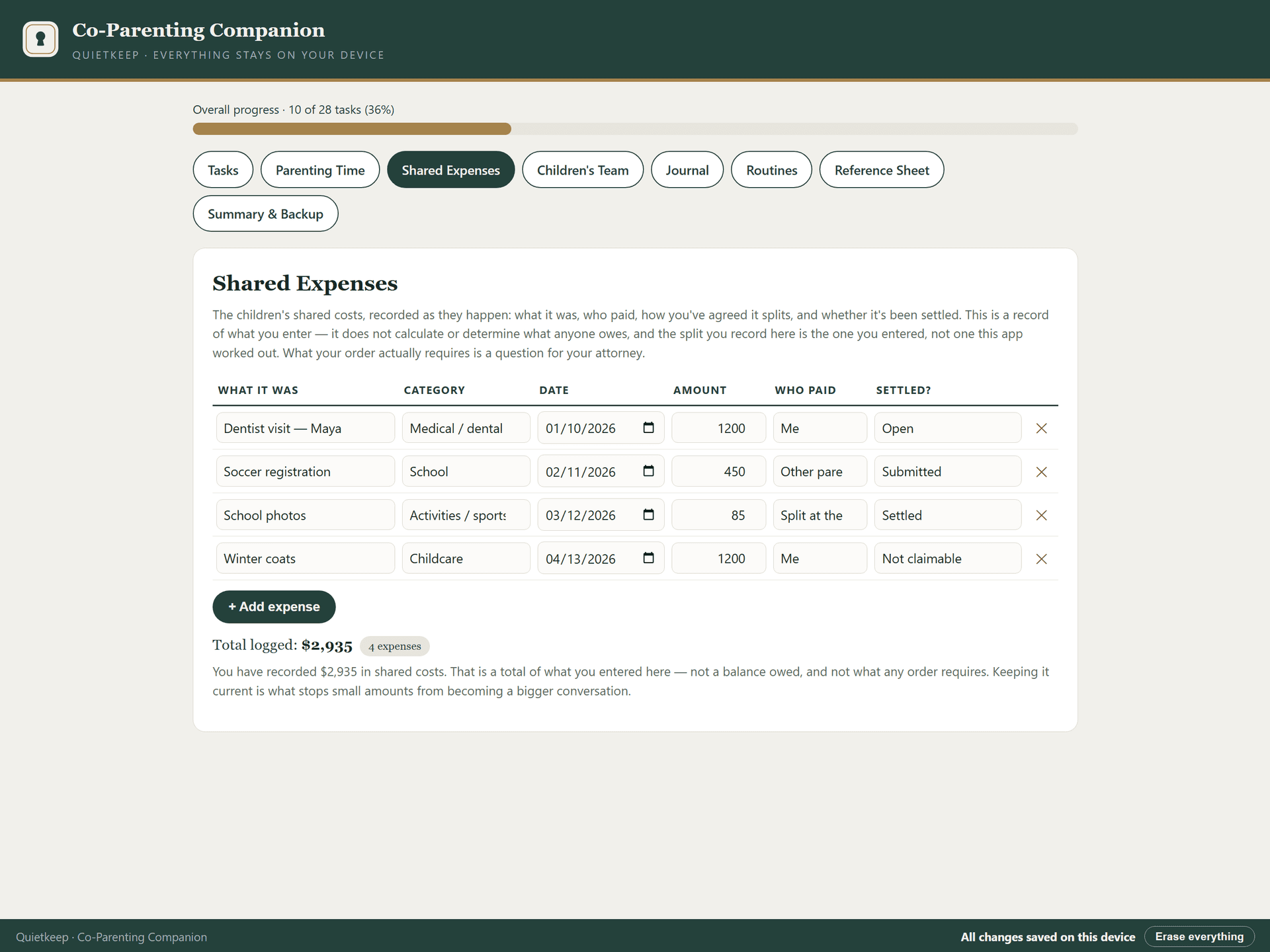
Shared costs that add themselves up, a schedule written down once, and a one-click caregiver sheet for whoever has the children this weekend.

Post-Divorce Transition Organizer

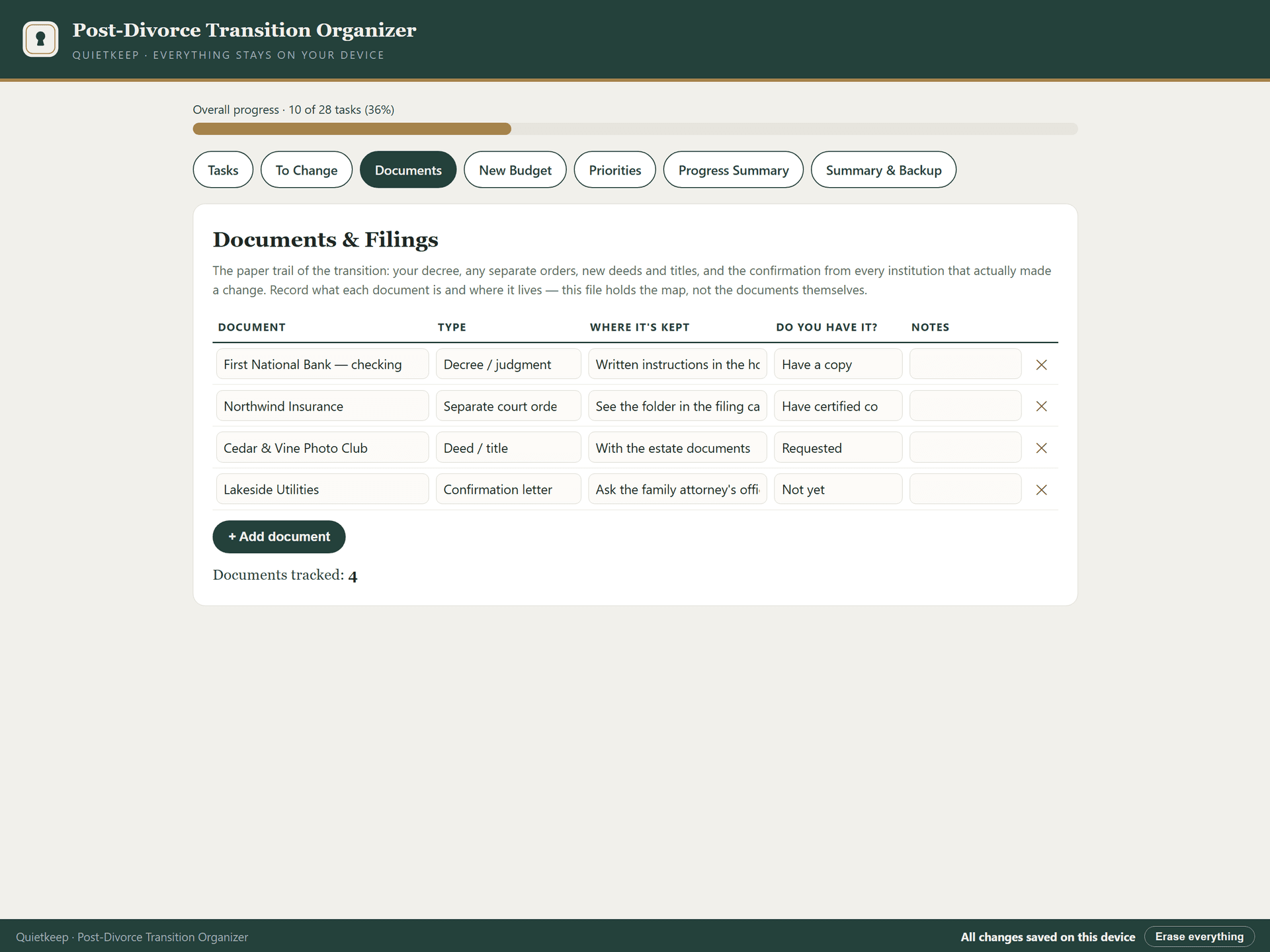
Every loose end tracked to done — deeds, titles, logins, beneficiaries — with a budget that totals itself and a printable record of what is already finished.

Three downloads, not one account

Each app is a separate file. Keep all three, or use one and put the others aside until you need them. Nothing expires.

Nothing is shared with the other household

There is no sync, no shared folder, and no account the other party could ever be added to. What you record is on your device, and stays there unless you print it.

Bought once

$65 for all three, forever. No subscription, and no upgrade you will be asked to buy later.

Divorce Organizer asset and debt inventory
Prepare once. The inventory totals itself before the first meeting.
Co-Parenting Companion shared expense tracker
Then live with it. Shared costs add themselves up, month after month.
Post-Divorce Transition Organizer document tracker
Then finish it. The loose ends the decree never mentions, tracked to done.

Private by design, not by promise

Between them these apps will hold your finances, your children's schedule, and the record of a separation. None of that should sit on a server, and in these apps it cannot.

Zero network requests

Each app is a single file that runs entirely in your browser, on your device. No connections, nothing loaded from the internet. You can run them with the wi-fi off and watch them work normally. It also means the files themselves aren't encrypted or password-protected — anyone who can use your device and browser can open them, so keep them somewhere only you can reach.

No shared account, ever

There is no login, no cloud, and no sync — which also means there is no account anyone else could be granted access to, now or later. Your backups are files on your own computer.

Yours forever

One purchase, three files, no expiry. There is no server to shut down, so there is nothing that can be taken away from you.

Don't take our word for it — try it

This is the actual app, loaded with a fictional sample plan so you can see it working. Click around. Check off a task. Nothing here is a mockup.

Live demo — a fictional sample plan

The demo resets when you leave the page. The full version saves your work automatically and includes backup & restore.

Starting Over Bundle

$65 once

Three apps, one separation. $77 bought separately, $65 as the set.

  • Divorce Organizer — complete app
  • Co-Parenting Companion — complete app
  • Post-Divorce Transition Organizer — complete app
  • Three instant downloads in one email
  • Free email support, free updates
  • No subscription. No account. Ever.
Get it — $65

If anything doesn't work, email us and we'll make it right: hello@quietkeep.co

Is a parent or relative involved too?

Separations often arrive in the same years as caregiving. The Caregiving Companion organizes that season — medications, appointments, and the care team — with the same privacy promise.

See the Caregiving Companion

Quiet updates, when it matters

Leave your email and we'll tell you when the next organizer exists. Nothing else — your data stays on your device either way.

Questions, answered plainly

What exactly is included?+

Three complete apps as three separate downloads: the Divorce Organizer, the Co-Parenting Companion, and the Post-Divorce Transition Organizer. $77 bought separately; $65 as the set.

I only need one of them right now. Should I still buy the set?+

Only if you expect to need the others. The single organizers are $29, $29 and $19, so the set saves $12 against buying all three. If you are early in the process and unsure how it will go, buying the one you need today is a perfectly sensible choice — nothing is lost by adding another later at full price.

Can my ex-partner see any of this?+

No. There is no account, no sync, and no shared folder, so there is nothing for anyone else to be added to. The apps hold your entries in the browser on your own device. Anything the other household sees is something you chose to print and hand over.

Is this legal advice?+

No. These are organizers. They record what you already know and help you arrange it, and they never tell you what you are entitled to or what to agree to. For advice about your situation, speak to a licensed attorney in your state.

Do I need three separate purchases later if I change computers?+

No. You own the files. Copy them wherever you like. Your entries are saved by the browser rather than inside the file, so use the backup button in each app before you move — then restore it on the new machine.